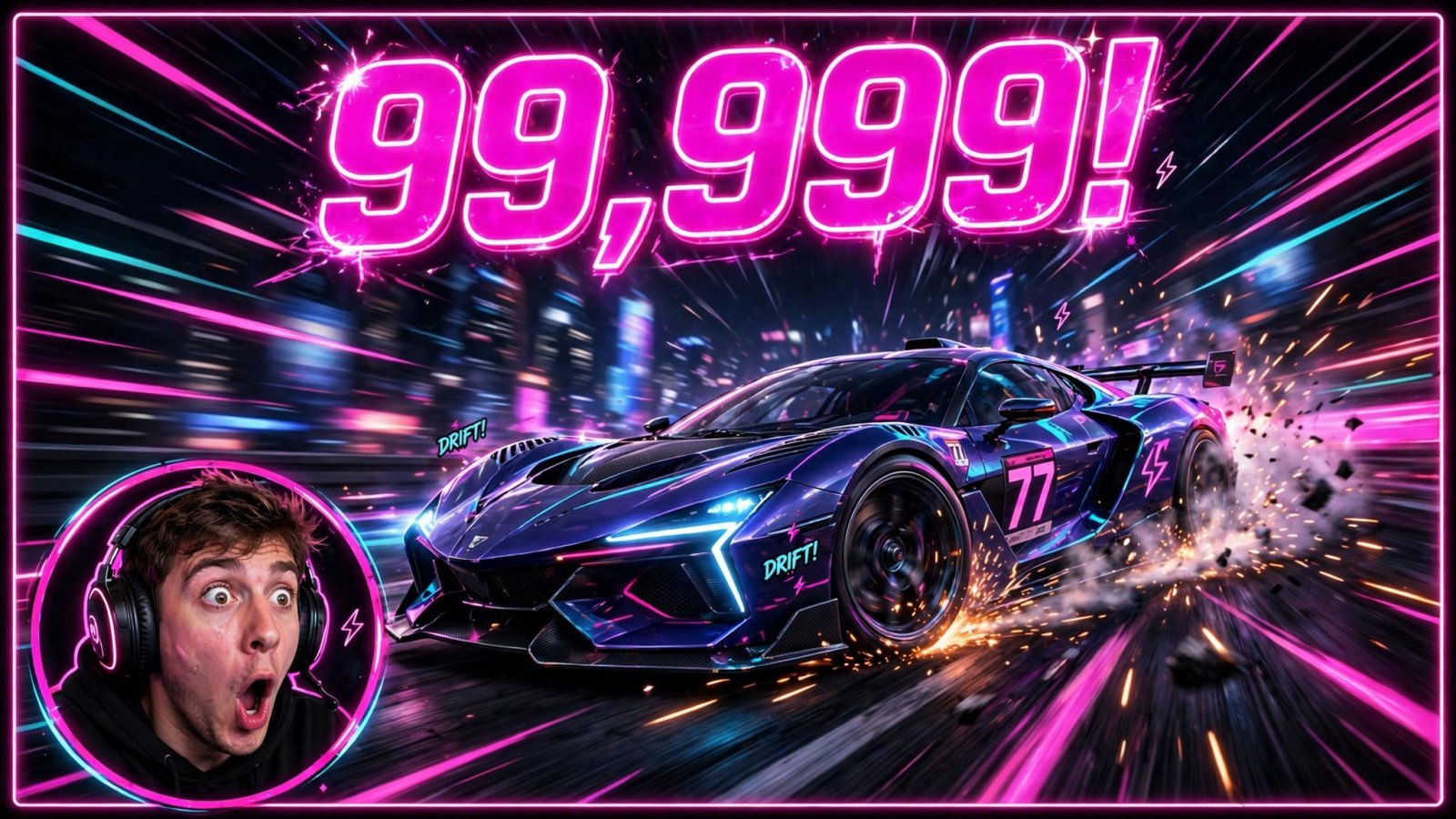
A high-energy gaming thumbnail with a frozen reaction moment and neon score
A loud, fast gaming thumbnail that freezes one dramatic in-game moment, adds a neon score and a shocked creator face for maximum clicks.
Customize this prompt
Fill in the fields below — the prompt text updates automatically. [BRACKETED] words are placeholders you replace.
The prompt
Design a YouTube thumbnail for a gaming video about [GAME_TITLE] and the moment [MOMENT_DESCRIPTION]. Freeze the most dramatic frame — [CHARACTER_OR_SCENE] mid-action — and fill the frame edge to edge with it. Overlay a huge neon [SCORE_TEXT] score in glowing [NEON_COLOUR] type at the top, and a [CREATOR_FACE] reaction cutout with a shocked expression in the bottom corner. Add speed lines, sparks or [EFFECT] around the action to sell the energy, and a thin [BORDER_COLOUR] border to make the thumbnail pop against YouTube's dark background. Keep the text to five words or fewer so it reads instantly, and make sure the game's most recognisable element sits in the centre of the frame.
How to use it
- Pick the single most dramatic moment from the gameplay.
- Freeze that frame full-bleed so it fills the whole thumbnail.
- Add the neon score in huge glowing type at the top.
- Place the shocked creator reaction in the bottom corner.
- Add speed lines and a border, then check it at phone size.
Customization tips
Swap in your game, the key moment, the score and the neon colour for each video.
Example use case
Use it for gaming videos, highlights and challenge runs where the thumbnail must stop the scroll.
Frequently asked questions
How much text should a gaming thumbnail have?
Five words or fewer — one score or promise in huge type beats a sentence nobody can read at thumbnail size.
What if my game has no single dramatic moment?
Pick the loudest visual instead: an explosion, a boss reveal or a rare item, and build the same neon score and reaction around it.
Share
Tags: youtube thumbnail gaming thumbnail neon design reaction face gaming channel clickable design
Reviewed by the PromptVault editorial team on November 9, 2026.
Source notes: Daily pipeline 20261109 batch 6