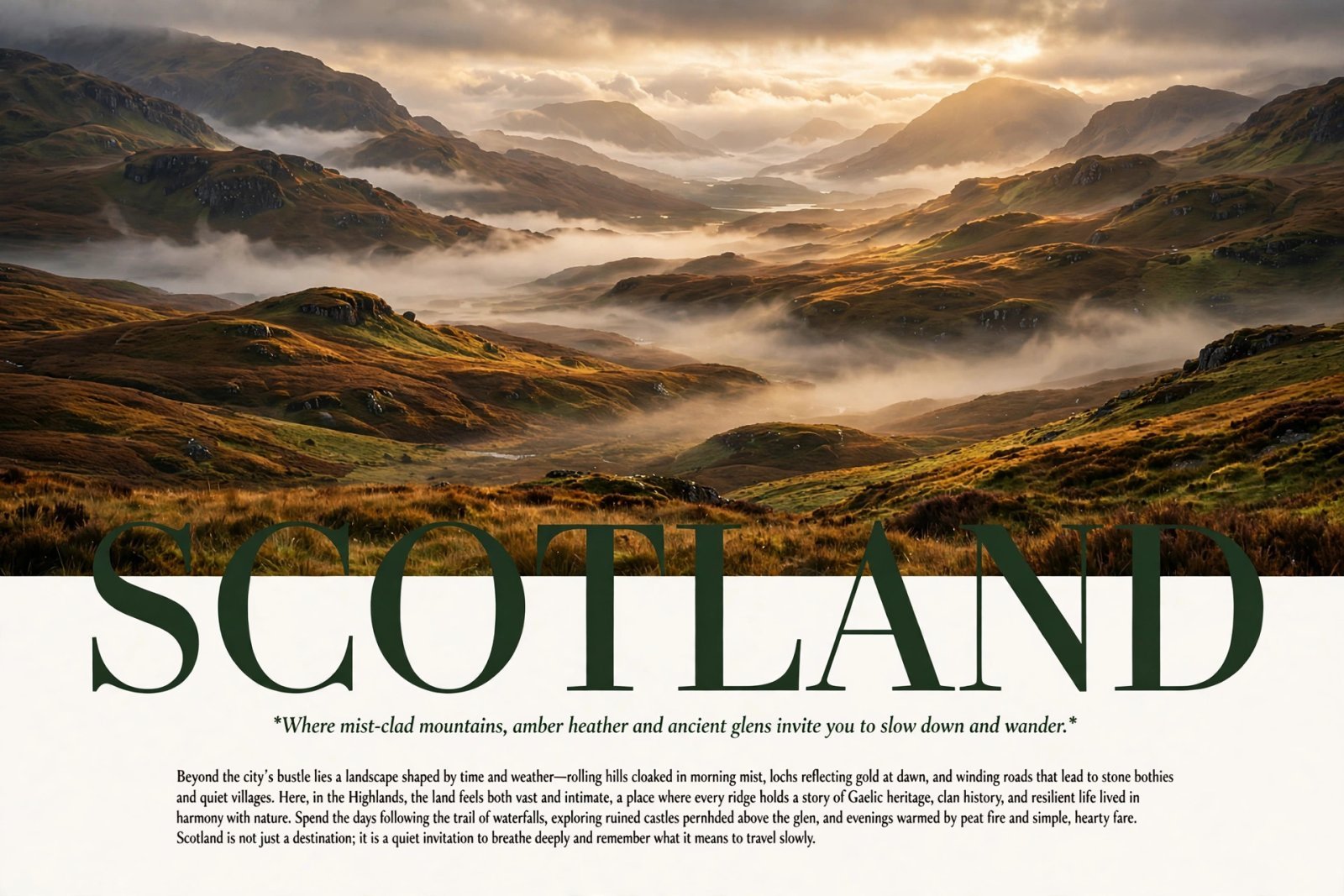
A travel magazine opener with a giant headline and breathing room
A travel feature opener that pairs a sweeping landscape with oversized type and wide margins, so the destination feels vast before a word is read.
Customize this prompt
Fill in the fields below — the prompt text updates automatically. [BRACKETED] words are placeholders you replace.
The prompt
Design the opening spread of a travel magazine feature about [DESTINATION] for [MAGAZINE_NAME]. The top two-thirds of the spread is a sweeping photograph of [LANDSCAPE_DESCRIPTION] in golden light, with the destination name '[DESTINATION]' set in enormous serif capitals overlapping the bottom edge of the photo. Below the photo, a short standfirst '[STANDFIRST]' sits in italic serif, followed by the byline '[AUTHOR_NAME]' and the first paragraph of the article in a single wide column. Use a warm palette drawn from the photograph — [PALETTE_COLOURS] — and keep generous white space around every element so the page feels as open as the landscape itself. Add a small folio line '[ISSUE_LINE]' at the very bottom.
How to use it
- Pick the destination and the one landscape photograph that sells it.
- Lay the photo across the top two-thirds of the spread.
- Set the destination name in enormous serif type overlapping the photo edge.
- Add the italic standfirst, byline and first paragraph below.
- Draw the palette from the photograph so the page feels unified.
- Check the spread at full size: the headline should feel vast, not cramped.
Customization tips
Change the destination, photograph, standfirst and palette for any travel feature.
Example use case
Use it for travel magazine features, destination guides and tourism editorials.
Frequently asked questions
How big should the destination headline be?
Big enough to read from across the room — it is the second image on the page, not just a label.
Can this opener work for a city guide?
Yes — swap the landscape for a skyline or street scene and keep the same giant-name, wide-margin structure.
Share
Tags: travel magazine editorial opener landscape photography headline design print layout travel writing
Reviewed by the PromptVault editorial team on November 9, 2026.
Source notes: Daily pipeline 20261109 batch 7