Bold split-face thumbnail that makes a before-after video unmissable
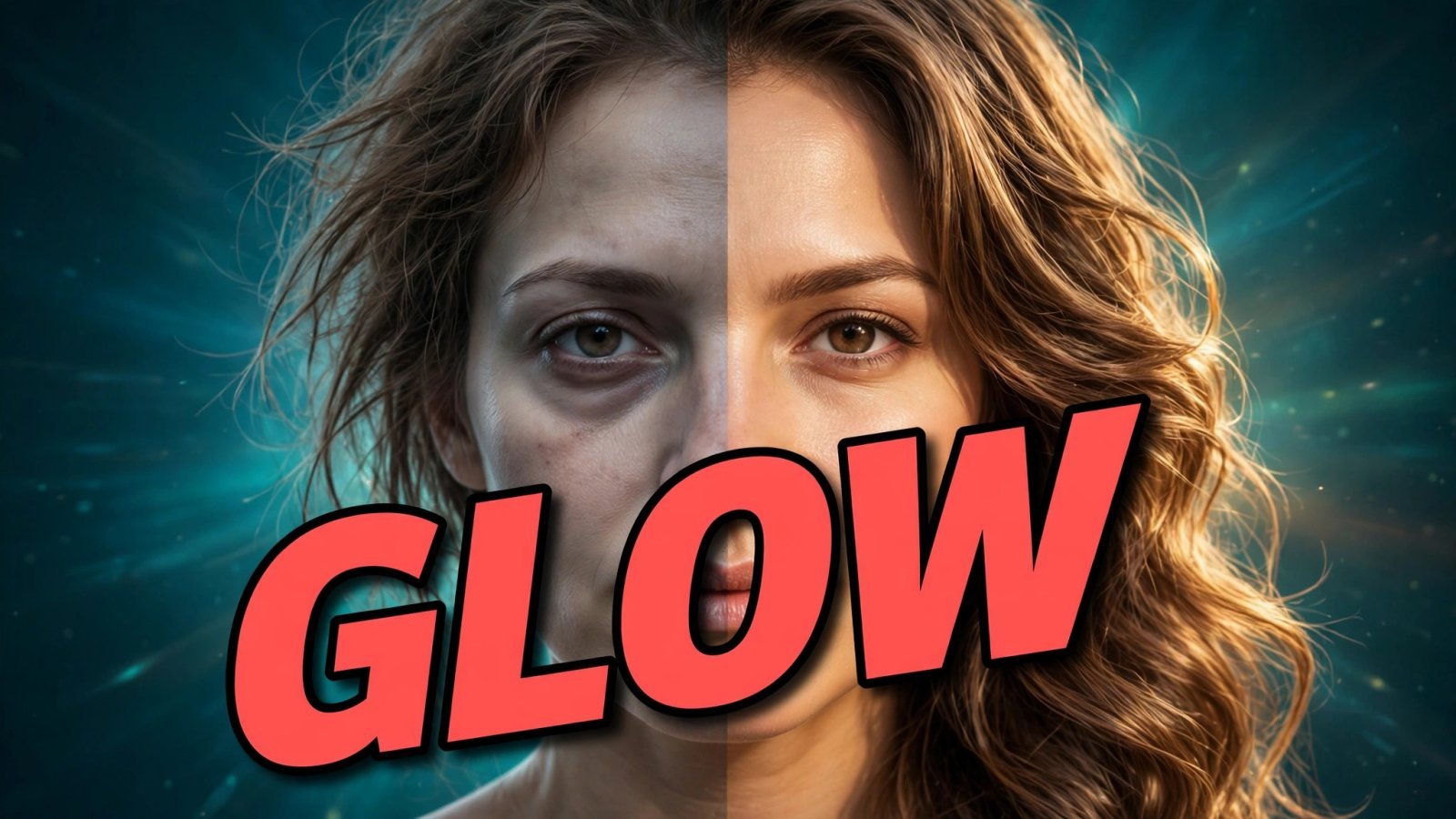
A high-contrast YouTube thumbnail that splits one face into before and after halves, so viewers instantly grasp the transformation.
Customize this prompt
Fill in the fields below — the prompt text updates automatically. [BRACKETED] words are placeholders you replace.
The prompt
Design a bold YouTube thumbnail in 16:9 that shows a dramatic before-and-after transformation of [SUBJECT] in a single frame. Split the image down the middle: the left half shows the BEFORE state in muted, flat lighting with [BEFORE_DESCRIPTION], and the right half shows the AFTER state in vivid, warm light with [AFTER_DESCRIPTION]. Place the same person or object on both sides so the change is unmistakable. Add one huge punchy word, [POWER_WORD], in thick [TEXT_COLOUR] letters with a dark outline across the centre, angled slightly upward. Use a [BACKGROUND_COLOUR] background with a subtle radial glow behind the subject, strong rim lighting, and a clean drop shadow under the text. Keep the composition readable at tiny sizes: one face, one word, one clear contrast.
How to use it
- Describe your subject and the exact before and after states in one sentence each.
- Pick a single power word that names the transformation, not the process.
- Generate the split-face layout with strong rim light on the after side.
- Check the thumbnail at 10 percent size: face, word and contrast must still read.
- Tighten the text outline and boost saturation on the after side if it feels flat.
Customization tips
Swap the subject, power word and colours to match your video topic while keeping the single split and single word.
Example use case
Creators making transformation, makeover, renovation or progress videos that need a thumbnail people cannot scroll past.
Frequently asked questions
Why split the face instead of showing two separate photos?
A single split frame forces the eye to compare instantly, which reads far better at small sizes than two separate images side by side.
What if my video has no person in it?
Use the same object, room or product on both halves instead of a face; the contrast between the two states still carries the thumbnail.
Share
Tags: youtube thumbnail before and after split face click-through high contrast video marketing
Reviewed by the PromptVault editorial team on November 15, 2026.
Source notes: Daily pipeline 20261115 batch 6