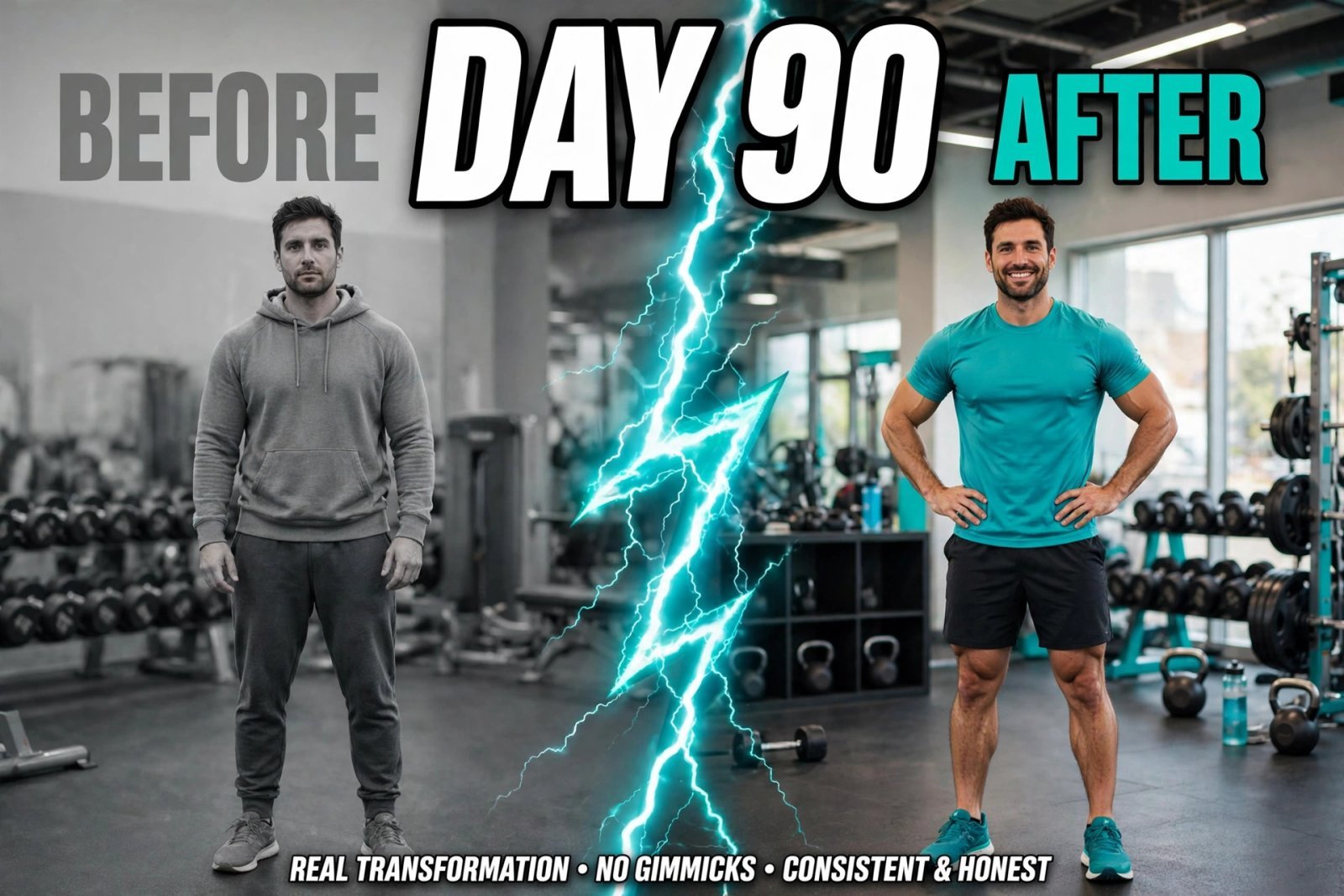
Gym Transformation Thumbnail With a Giant Day Counter and Split Photos
A transformation thumbnail pairing before and after photos with a giant day counter and a clean, motivating layout.
Customize this prompt
Fill in the fields below — the prompt text updates automatically. [BRACKETED] words are placeholders you replace.
The prompt
Design a YouTube thumbnail for a fitness transformation video about [TRANSFORMATION_TOPIC]. Place two full-body photos side by side: on the left the [BEFORE_DESCRIPTION] labelled BEFORE in muted grey, on the right the [AFTER_DESCRIPTION] labelled AFTER in vibrant [ACCENT_COLOUR]. Between them draw a bold arrow or a vertical divider with a lightning bolt. Overlay giant numbers showing [PROGRESS_NUMBER] — for example [TIME_PERIOD] or [WEIGHT_CHANGE] — in heavy condensed type with a white outline and a drop shadow. Add the creator's [CREATOR_EXPRESSION] portrait in a small circle at the top corner. Background: a bright gym interior with soft daylight and subtle motion blur on the equipment. Style: [ART_STYLE], clean, energetic and honest — no distorted body shapes, no fake claims. Keep all text large enough to read on a phone screen.
How to use it
- Write the honest before and after facts you will show, with the real numbers.
- Pick one accent colour for the AFTER side and keep the BEFORE side muted.
- Generate the side-by-side layout with a bold arrow or divider between the two photos.
- Add the giant progress number in heavy type with a white outline.
- Check the thumbnail on a phone screen and remove anything that is hard to read.
Customization tips
Change the transformation topic, accent colour and progress number for any fitness story.
Example use case
Fitness creators sharing a real transformation or challenge result.
Frequently asked questions
What progress number works best on a fitness thumbnail?
One concrete, honest number — weeks, kilos or reps — shown huge. Viewers trust a specific number more than a vague claim.
How do I keep the thumbnail honest?
Use real photos and real numbers, and keep the BEFORE side muted rather than shaming; the design sells the result, not a fake promise.
Share
Tags: fitness thumbnail before and after YouTube thumbnail transformation progress numbers Ideogram
Reviewed by the PromptVault editorial team on November 27, 2026.
Source notes: Daily pipeline 20261127 batch 6

