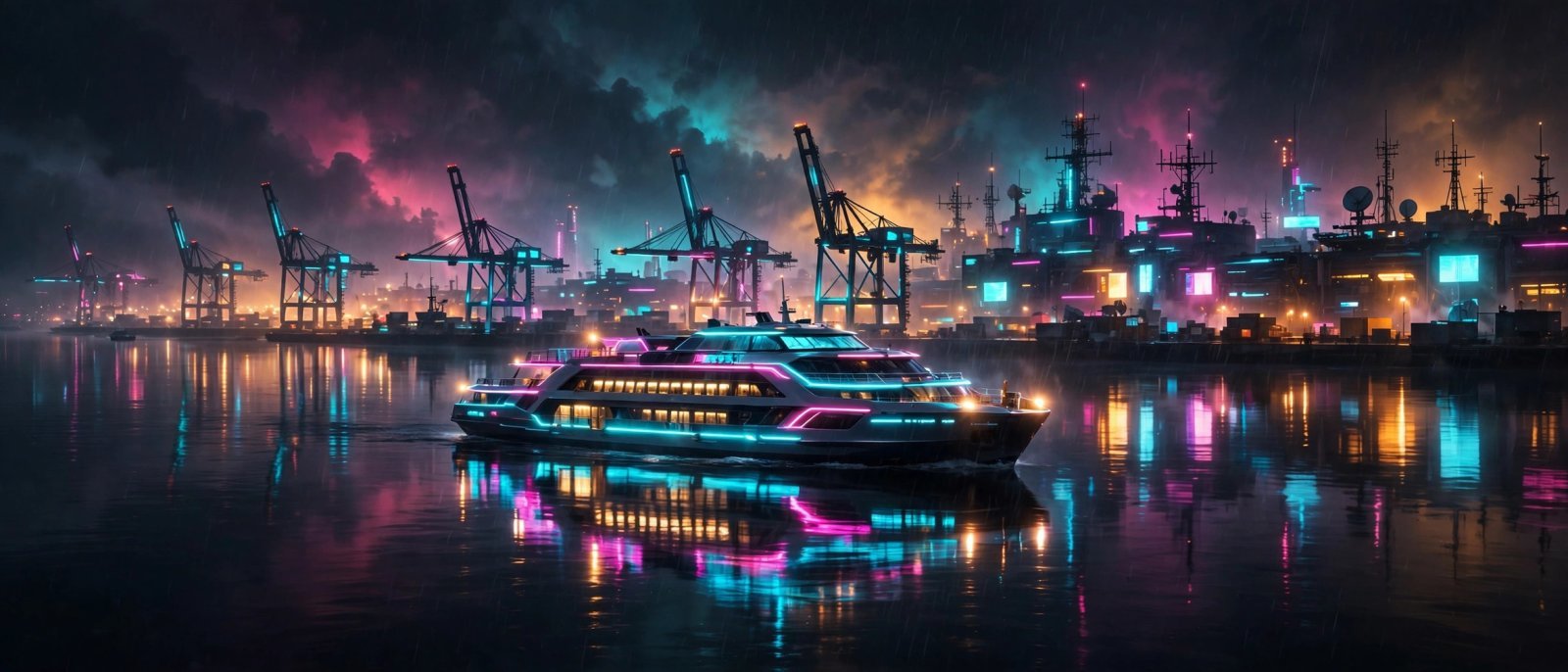
Neon Harbor Night Ferry Panorama
A cinematic ultrawide night panorama of a futuristic harbor: a glowing ferry cuts through dark water as neon signs reflect on the waves.
Customize this prompt
Fill in the fields below — the prompt text updates automatically. [BRACKETED] words are placeholders you replace.
The prompt
Create an ultrawide cinematic wallpaper of a futuristic harbor at night, centered on [FERRY_STYLE]: a neon-lit ferry gliding across dark glassy water, its lights doubled in long reflections. The harbor skyline behind it stacks layers of glowing billboards, container cranes and rooftop antennas in cyan, magenta and amber. Low-hanging clouds catch the neon haze; faint rain streaks blur the mid-ground. Composition: panoramic 16:9, strong horizontal banding of reflections, ferry placed slightly off-center. Style: clean digital matte painting, rich bloom, crisp edges, deep blacks, no people, no readable text, ultra-detailed, 16:9.
How to use it
- Describe the ferry in [FERRY_STYLE]: passenger hovercraft, retro river ferry, or cargo catamaran.
- Set the neon palette: cyan + magenta + amber keeps the classic cyberpunk night look.
- Compose the 16:9 frame with the ferry off-center and mirrored reflections filling the lower third.
- Add atmosphere: neon haze in clouds, faint rain, distant harbor layers.
- Render at high resolution and crop to a clean 16:9 desktop wallpaper.
Customization tips
Change [FERRY_STYLE] to any vessel and re-tune the color palette for a totally different night mood.
Example use case
Desktop and ultrawide wallpapers, game loading screens and night-city mood boards.
Frequently asked questions
Which models render neon reflections best?
Stylized image models like Midjourney, Leonardo and SDXL handle neon bloom and water reflections convincingly for wallpaper use.
How do I make this less cyberpunk?
Swap [FERRY_STYLE] for a wooden sailboat and change the palette words to moonlight blue and lantern gold for a softer night harbor.
Share
Tags: wallpaper night neon harbor ferry cityscape 16:9
Reviewed by the PromptVault editorial team on October 24, 2026.
Source notes: Daily pipeline 20261024 batch 2