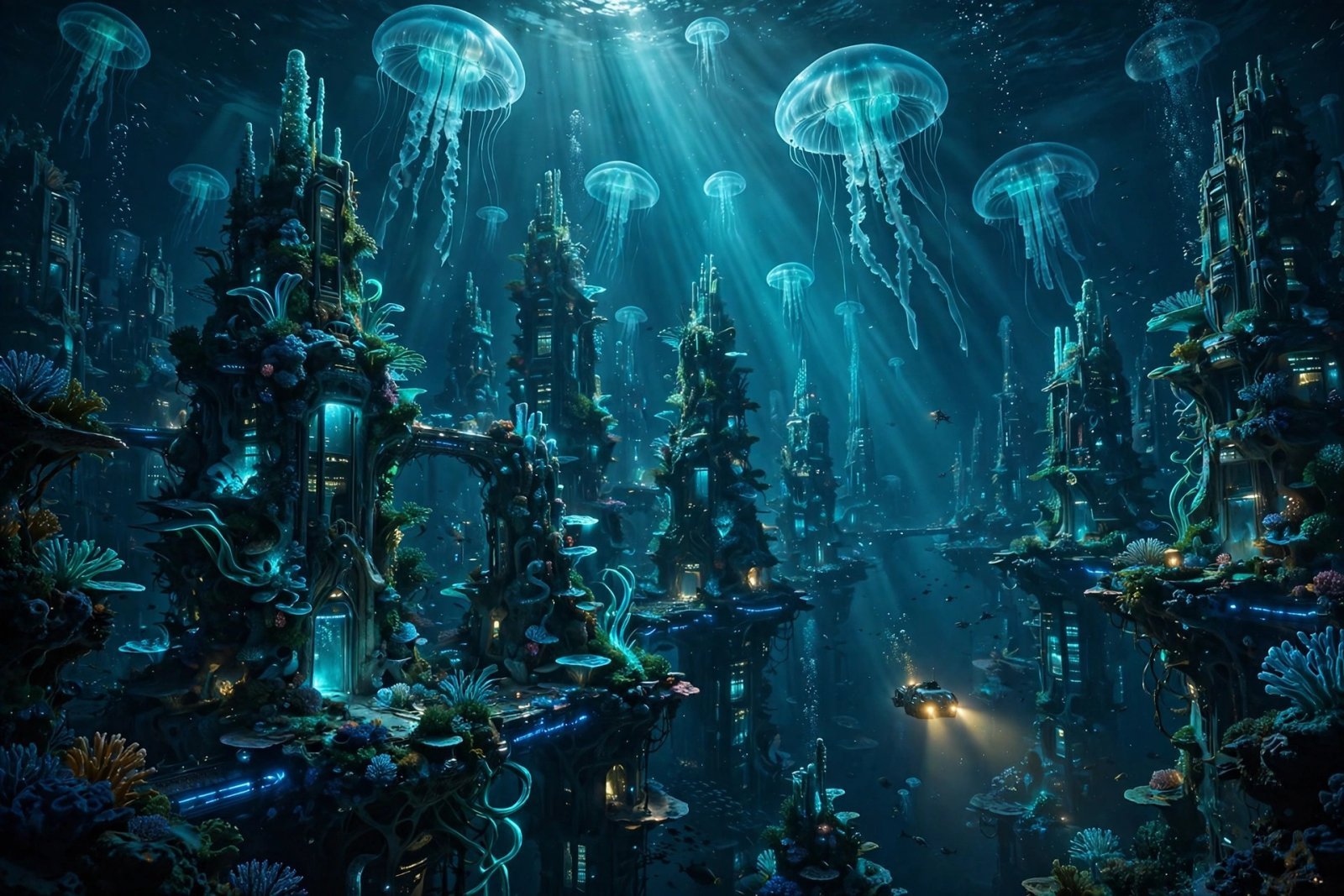
Neon Tide: Bioluminescent Underwater City Flythrough
Drift through a glowing underwater metropolis of coral towers and jellyfish lanterns in this cinematic AI video prompt for sci-fi scenes.
Customize this prompt
Fill in the fields below — the prompt text updates automatically. [BRACKETED] words are placeholders you replace.
The prompt
Create a breathtaking cinematic flythrough of [CITY_NAME], an ancient metropolis submerged beneath bioluminescent waves. The camera drifts slowly forward between towering coral skyscrapers whose windows glow [GLOW_COLOR], while giant translucent jellyfish drift overhead like living lanterns. Light shafts pierce the water from above, scattering drifting particles in the current. A lone [SUBMERSIBLE_TYPE] with a warm headlight crosses the frame, and schools of silver fish part around it like curtains. The mood is [MOOD] - serene, mysterious, and vast. Grade the footage with deep teal shadows and cyan-gold highlights, add subtle water-caustic overlays, and keep camera motion smooth and unhurried. End on a wide shot as the city fades into the deep blue distance.
How to use it
- Paste this prompt into your video generator (Kling, Runway, or Luma) and set the output to 16:9.
- Replace [CITY_NAME], [GLOW_COLOR], [SUBMERSIBLE_TYPE], and [MOOD] with your own creative choices.
- Generate a 5-10 second clip, then loop or extend it for a longer ambient sequence.
- Finish with teal-and-orange color grading and a soft ambient soundtrack for the full cinematic effect.
Customization tips
Swap [CITY_NAME] for your own world, change [GLOW_COLOR] to shift the mood, and put a character or vehicle in [SUBMERSIBLE_TYPE] to add story.
Example use case
Use for sci-fi trailers, ambient channel backgrounds, travel-brand dream sequences, or festival visuals.
Frequently asked questions
Which video model handles this scene best?
Kling and Runway handle fluid underwater motion and particle light well; use an extended-duration mode for a smoother flythrough.
How do I avoid warped jellyfish shapes?
Keep the camera slow and the creature count low - fast moves and extra subjects cause most distortion in underwater scenes.
Share
Tags: cinematic video underwater sci-fi ai film flythrough atmospheric
Reviewed by the PromptVault editorial team on October 21, 2026.
Source notes: Daily pipeline 20261021 batch 3