Seven-Day Teaser Story Series for a Limited Sneaker Release
A bold, high-contrast Instagram Story countdown that builds hype for a product drop, day by day, with a big number and teaser visual.
Customize this prompt
Fill in the fields below — the prompt text updates automatically. [BRACKETED] words are placeholders you replace.
The prompt
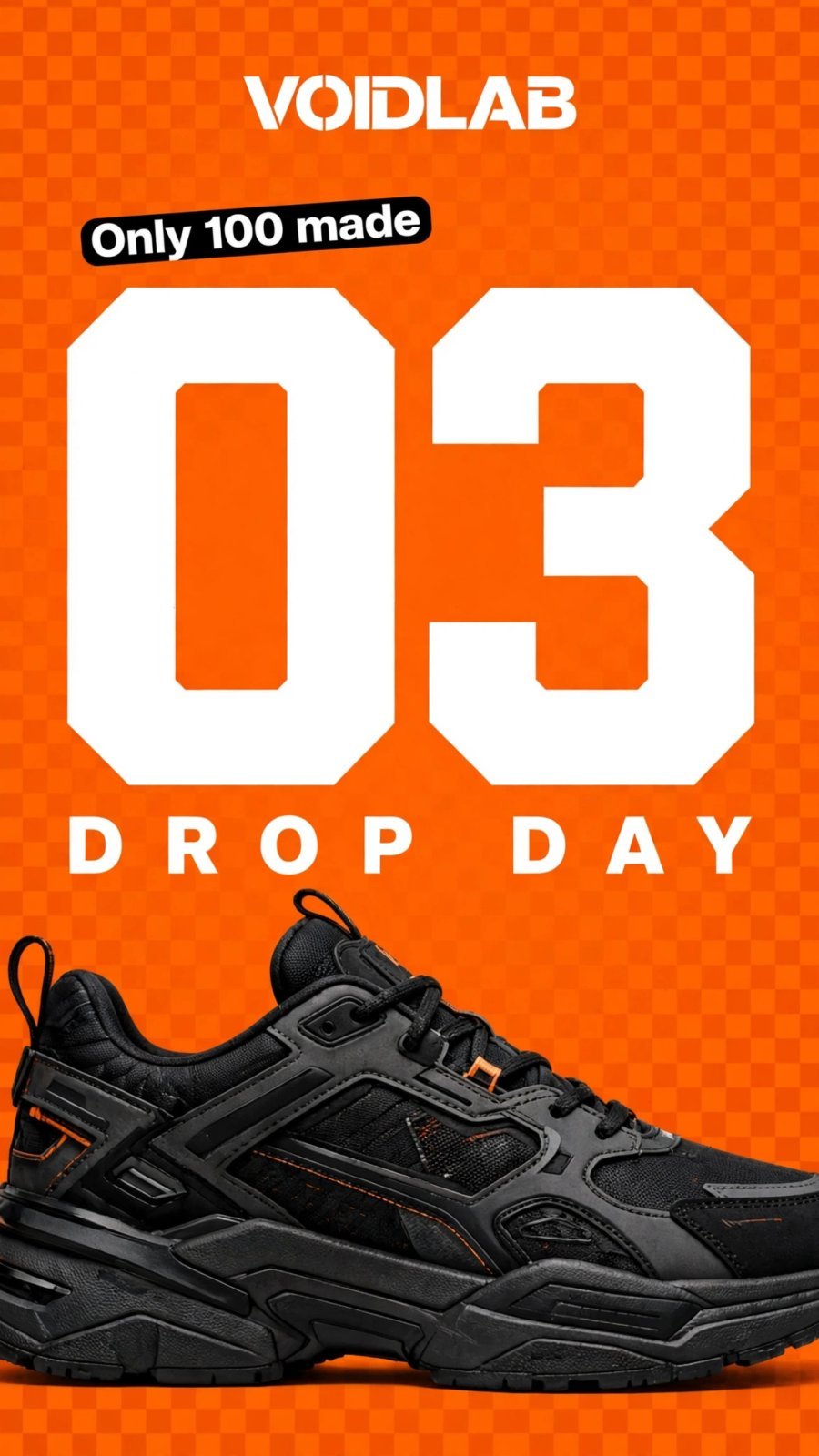
Design a vertical Instagram Story countdown template for a product drop from [BRAND_NAME] launching [DROP_PRODUCT]. Layout: a huge [COUNTDOWN_NUMBER] in oversized condensed type dominating the centre, with [DROP_DATE] beneath it in smaller caps and a teaser image of [TEASER_DETAIL] — a cropped product detail, fabric texture or silhouette — filling the lower half. Background: a bold [BACKGROUND_COLOUR] with a subtle [PATTERN_STYLE] pattern and a thin frame. Add the brand wordmark at the top, a 'TAP TO REMIND ME' sticker prompt, and a [URGENCY_LINE] line like 'Only 100 made'. Keep the number legible in one glance. Style: streetwear-drop energy, high contrast, punchy graphic design, 9:16 vertical format.
How to use it
- Set [BRAND_NAME], [DROP_PRODUCT] and [DROP_DATE] for the launch.
- Choose [TEASER_DETAIL] so the product stays mysterious but recognisable.
- Pick [BACKGROUND_COLOUR] and [PATTERN_STYLE] for the drop's visual identity.
- Write a [URGENCY_LINE] and the countdown number [COUNTDOWN_NUMBER].
- Generate the template and test it as a Story with the countdown sticker.
Customization tips
Swap [COUNTDOWN_NUMBER] daily, [BACKGROUND_COLOUR] per drop, and [URGENCY_LINE] per campaign.
Example use case
Brands building hype for a limited product drop with a daily Story countdown series.
Frequently asked questions
Should the number change every day?
Yes — generate one version per day with the updated number; the fixed layout keeps the series recognisable.
Can I use it for a restock instead of a launch?
Absolutely: change the urgency line to a restock message and keep the same countdown structure.
Share
Tags: instagram story countdown product drop social media graphic design
Reviewed by the PromptVault editorial team on November 13, 2026.
Source notes: Daily pipeline 20261113 batch 6