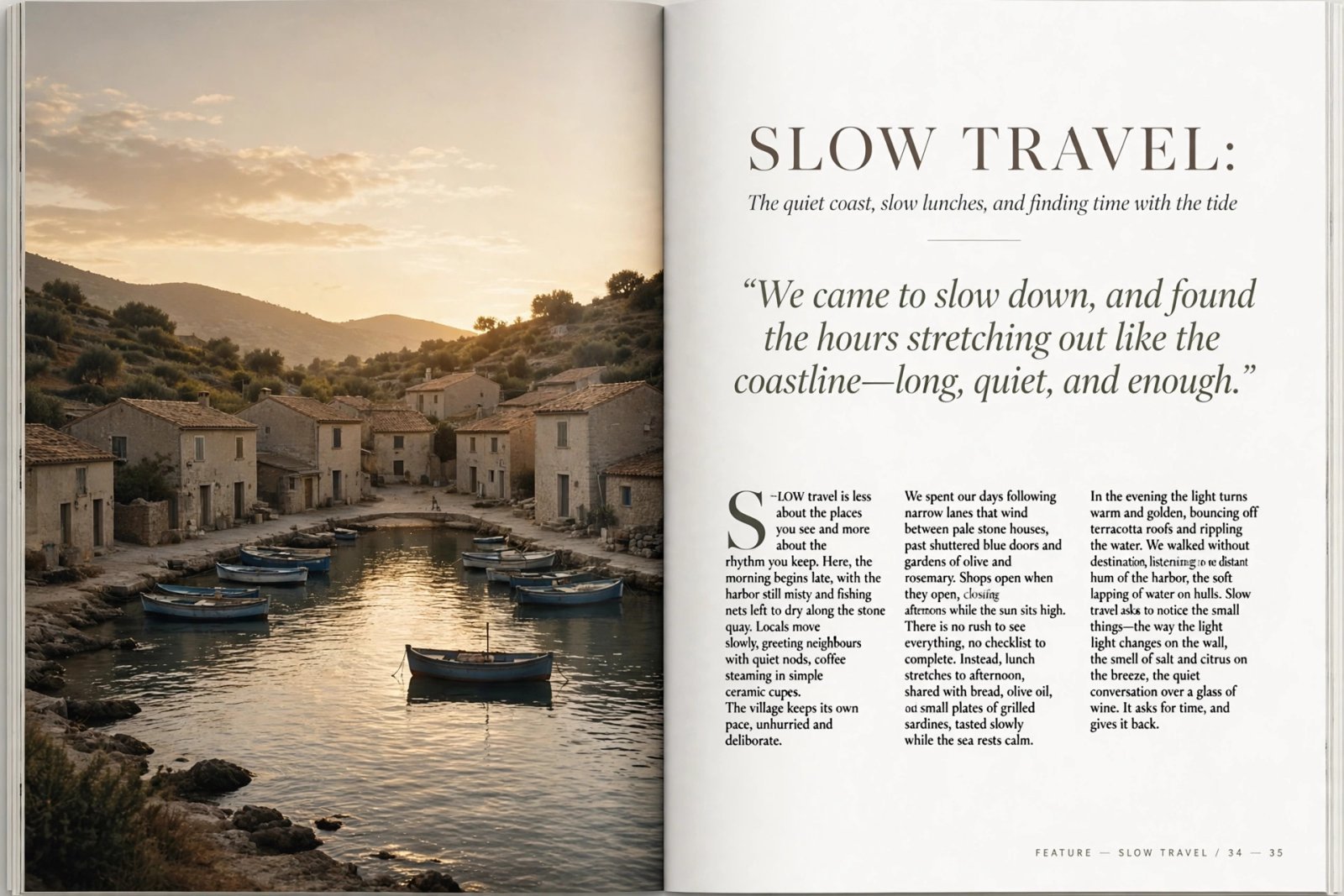
Slow Travel Feature Spread with Full-Bleed Photo and Serif Headline
A calm two-page magazine spread for a slow travel feature, with a full-bleed photo, generous margins and elegant serif headlines.
Customize this prompt
Fill in the fields below — the prompt text updates automatically. [BRACKETED] words are placeholders you replace.
The prompt
Design a modern two-page magazine spread for a slow travel feature about [DESTINATION], in [MAGAZINE_NAME]. Left page: a full-bleed photograph of [HERO_SCENE] with a small white caption bar naming the place. Right page: a large serif headline reading [HEADLINE_TEXT], a standfirst in italic summarising [STORY_ANGLE], and three columns of body text with a drop cap, generous leading and wide margins in [PAGE_COLOUR] tones. Add a pull quote in oversized type, a small fact box with [FACT_BOX_CONTENT], and page furniture: folio numbers, section label [SECTION_LABEL] and a thin rule. Style: refined editorial, lots of white space, muted natural palette, print-magazine polish.
How to use it
- Set [DESTINATION], [MAGAZINE_NAME] and [HERO_SCENE].
- Write the [HEADLINE_TEXT] and [STORY_ANGLE] standfirst.
- Add the pull quote and [FACT_BOX_CONTENT].
- Label the section [SECTION_LABEL] and set [PAGE_COLOUR].
- Export as a print-ready spread with bleed.
Customization tips
Change the destination, hero scene and pull quote to reuse the grid for any long-form feature.
Example use case
Use it for print magazines, digital editions and editorial portfolio pieces.
Frequently asked questions
Does this layout work for other features?
Yes — swap the destination, hero scene and headline; the grid and type scale stay the same.
How do I keep the spread calm rather than crowded?
Keep one hero image, three text columns maximum, and let the white space do the work.
Share
Tags: magazine layout editorial design travel feature print design spread layout typography
Reviewed by the PromptVault editorial team on November 13, 2026.
Source notes: Daily pipeline 20261113 batch 7

