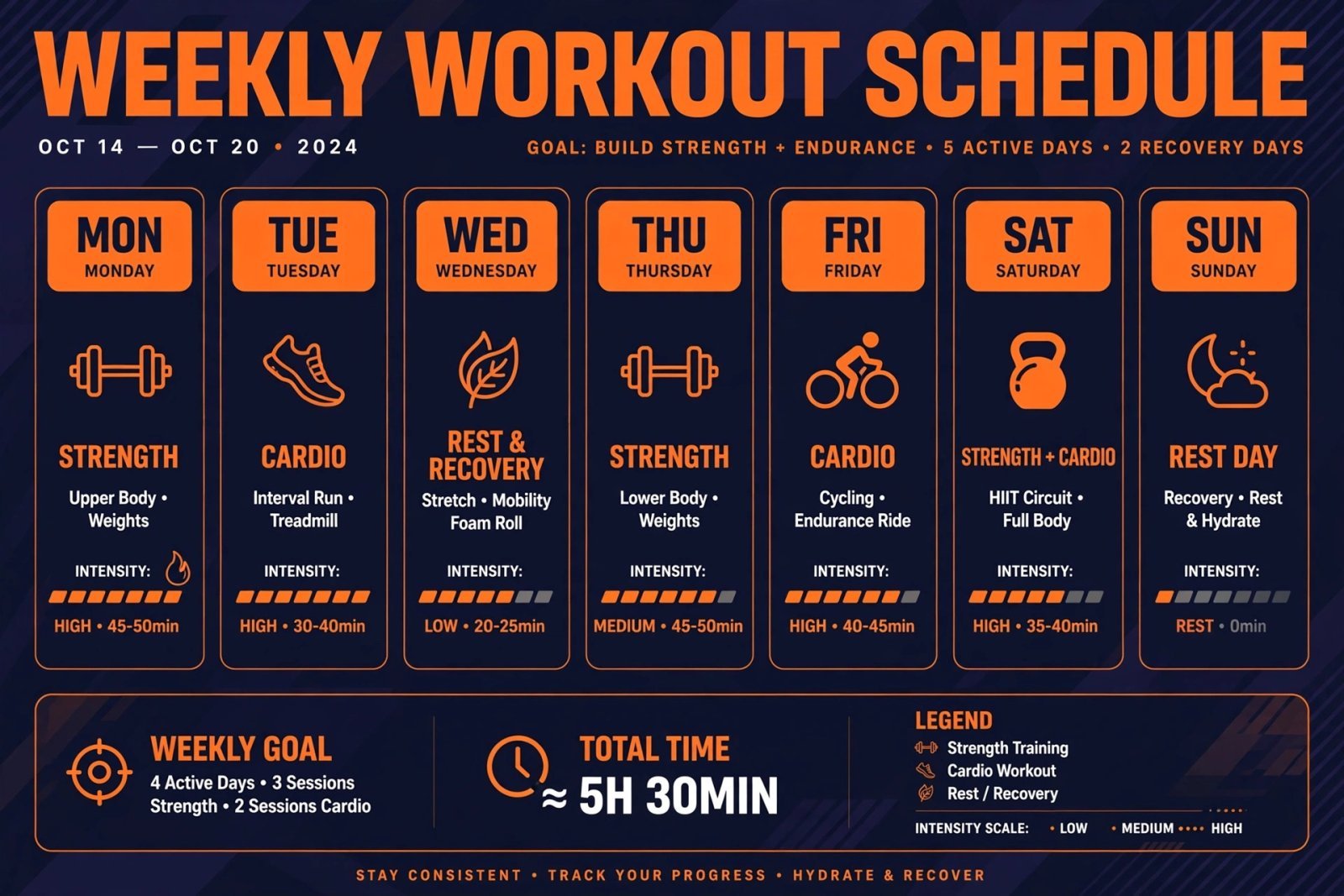
Train smart: weekly workout schedule chart
Design a balanced weekly workout planner with training splits, rest days, and progression tips.
Customize this prompt
Fill in the fields below — the prompt text updates automatically. [BRACKETED] words are placeholders you replace.
The prompt
Design a weekly workout schedule chart titled '[TITLE]' for [AUDIENCE] at [FITNESS_LEVEL] level. Seven day-columns: [DAY_1]: [WORKOUT_1]; [DAY_2]: [WORKOUT_2]; [DAY_3]: rest '[REST_TIP]'; [DAY_4]: [WORKOUT_3]; [DAY_5]: [WORKOUT_4]; [DAY_6]: [WORKOUT_5]; [DAY_7]: active recovery '[RECOVERY]'. Each workout: focus [FOCUS], duration [DURATION], intensity [INTENSITY]/5. Style: [STYLE], e.g. bold athletic with [COLORS] and [ICON_SET] exercise icons. Add progression box: '[PROGRESSION_TIP]' and safety footer '[SAFETY_NOTE]'. Typography: [TYPEFACE].
How to use it
- Set the fitness level and weekly split
- Fill each day with workout focus and duration
- Build the chart with intensity indicators
- Have a trainer review for balance and safety
- Print as a gym poster and share as a training plan
Customization tips
Change the split and [FITNESS_LEVEL] for strength, running, or home-workout programs.
Example use case
Use for gyms, trainers, and fitness apps that need clear weekly programming.
Frequently asked questions
How do I handle rest days?
Schedule at least one full rest day and frame it as part of training, not skipping.
Can beginners use this?
Set the fitness-level placeholder to beginner and the template scales intensity down.
Share
Tags: workout plan fitness training schedule exercise health
Reviewed by the PromptVault editorial team on October 12, 2026.
Source notes: Daily pipeline 20261012 batch 108