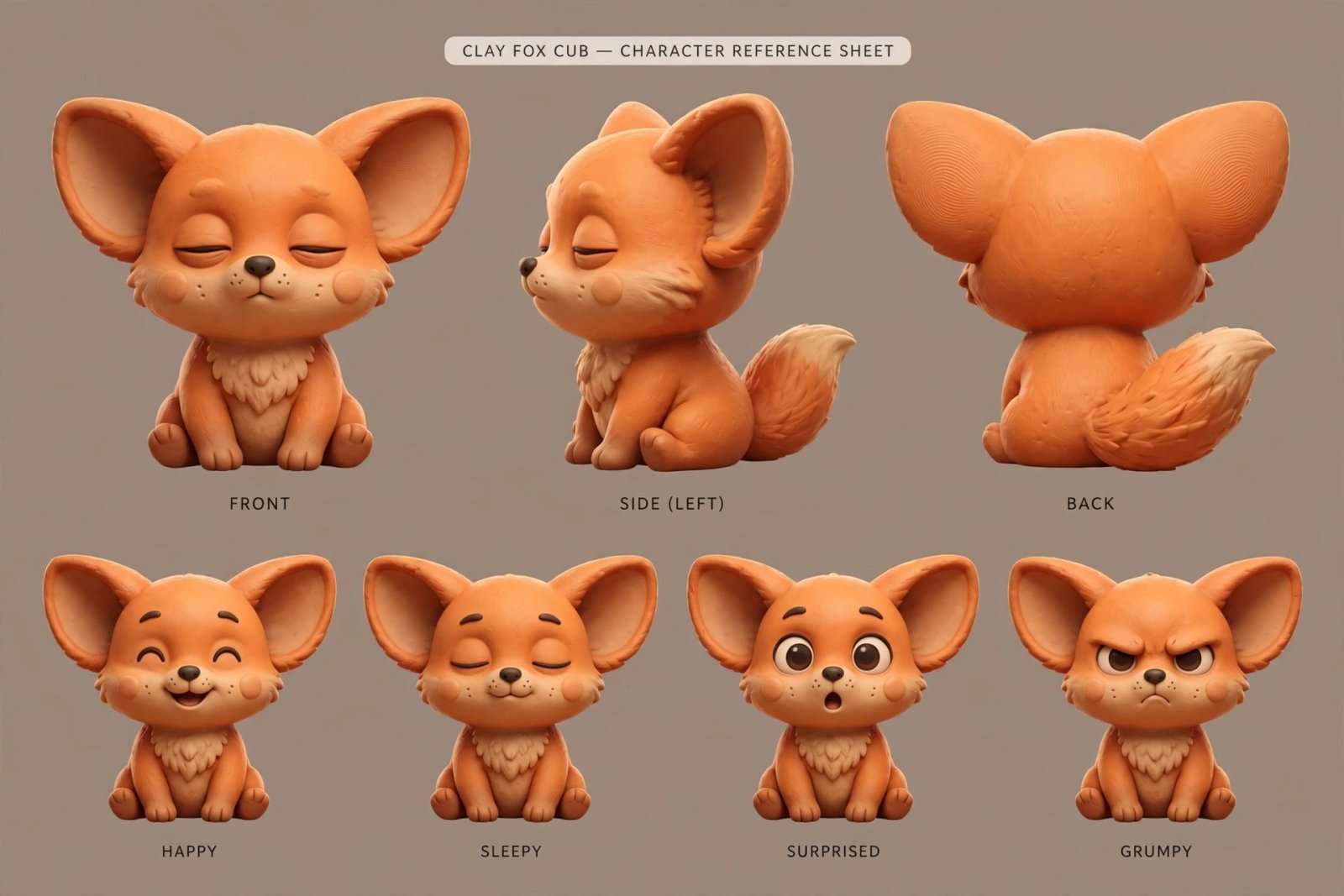
Cuddly clay creatures: a 3D character model turnaround sheet
Write a complete 3D character specification for a cute clay-style collectible creature — turnaround views, expression sheet, materials, rigging, and a render prompt.
Customize this prompt
Fill in the fields below — the prompt text updates automatically. [BRACKETED] words are placeholders you replace.
The prompt
Act as a senior 3D character artist and write a complete model specification sheet for one collectible figurine character: [CHARACTER_NAME], a [CHARACTER_SPECIES] in the [ART_STYLE] style (soft handmade clay render look — smooth blobby forms, subtle fingerprint texture, matte finish, gentle subsurface warmth).

Character core: [CHARACTER_NAME] is [CHARACTER_DESCRIPTION] (e.g. "a round orange fox cub with oversized ears, sleepy half-lidded eyes, and a tiny curled tail"). Personality: [PERSONALITY_TRAITS] (e.g. "curious, drowsy, endlessly huggable"). Color palette: [COLOR_1], [COLOR_2], [COLOR_3].

Write the spec in these sections:

1. TURNAROUND VIEWS — describe exactly what each view must show: FRONT (symmetrical, arms slightly out), SIDE (profile silhouette, note ear/tail protrusion), BACK (seam and texture notes), THREE-QUARTER (the hero pose for the box art). Give proportions as simple ratios (e.g. "head is 45% of total height").

2. EXPRESSION SHEET — four expressions: happy, sleepy, surprised, grumpy. For each, describe eye shape, mouth shape, and ear/tail position changes in two sentences.

3. MATERIAL & DETAIL NOTES — clay surface treatment: matte roughness value, subtle fingerprints on the belly, [DETAIL_FEATURE] (e.g. "tiny paw beans on the feet"), and one signature detail that makes [CHARACTER_NAME] recognizable at thumbnail size.

4. POSE & RIGGING NOTES — the default standing pose, joint pivot points for [ARTICULATION_LEVEL] articulation (e.g. "head swivel, arm stubs rotate"), and balance notes so the figurine stands unassisted on a [BASE_TYPE] base.

5. PRODUCTION SPECS — target polycount [POLY_BUDGET] (e.g. "under 50k tris for a game-ready collectible"), texture resolution [TEXTURE_SIZE], and export formats ([EXPORT_FORMATS], e.g. "FBX + OBJ + 4K PNG turnaround").

6. RENDER PROMPT — one ready-to-paste image prompt that renders [CHARACTER_NAME] as a studio product shot: soft clay material, [COLOR_1] and [COLOR_2] palette, neutral warm-gray background, soft key light, the full turnaround sheet layout (front, side, back, expressions) on one sheet.

Keep the whole spec concrete and buildable: no vague adjectives without a measurable note, no fantasy features that contradict the clay style. Length: aim for 600–900 words.
How to use it
- Name your character: set [CHARACTER_NAME], [CHARACTER_SPECIES], and [CHARACTER_DESCRIPTION] — the rounder the concept, the cuter the clay result.
- Define the style: choose [ART_STYLE], the three-color palette, and [PERSONALITY_TRAITS] so the spec has a consistent voice.
- Set production targets: fill in [POLY_BUDGET], [TEXTURE_SIZE], and [EXPORT_FORMATS] to match your game or collectible pipeline.
- Generate the spec: run the prompt in your text model and read the turnaround and expression sections for consistency.
- Copy the render prompt: use section 6 in your image model to get a visual reference sheet of the character.
- Hand off or build: send the spec to a modeler or 3D AI tool, checking the rigging and base notes against your production needs.
Customization tips
Change [CHARACTER_NAME] and [CHARACTER_SPECIES] to any creature — a sleepy robot, a grumpy mushroom, a tiny dragon — and the sheet rebuilds around it. Adjust [ART_STYLE] from soft clay to low-poly or voxel for different game pipelines.
Example use case
Use this prompt when you need a production-ready character brief without hiring a concept artist first — indie game developers, collectible designers, and hobbyists can generate a full model spec and reference sheet for a clay-style creature in one session.
Frequently asked questions
Can I use this with a 3D AI generation tool?
Yes — the prompt is written as a detailed text brief you paste into any 3D AI generator or hand to a modeler; the sheet layout section gives you front, side, back, and expression views in one pass.
How do I turn this brief into an actual 3D model?
Copy the generated spec into your tool of choice (3D AI generators, sculpting apps, or a human modeler); the polygon and topology notes keep it production-usable.
Share
Tags: 3d modeling character design clay render model sheet game art collectibles figurine text prompt
Reviewed by the PromptVault editorial team on October 12, 2026.
Source notes: Daily pipeline 20261012 batch 7