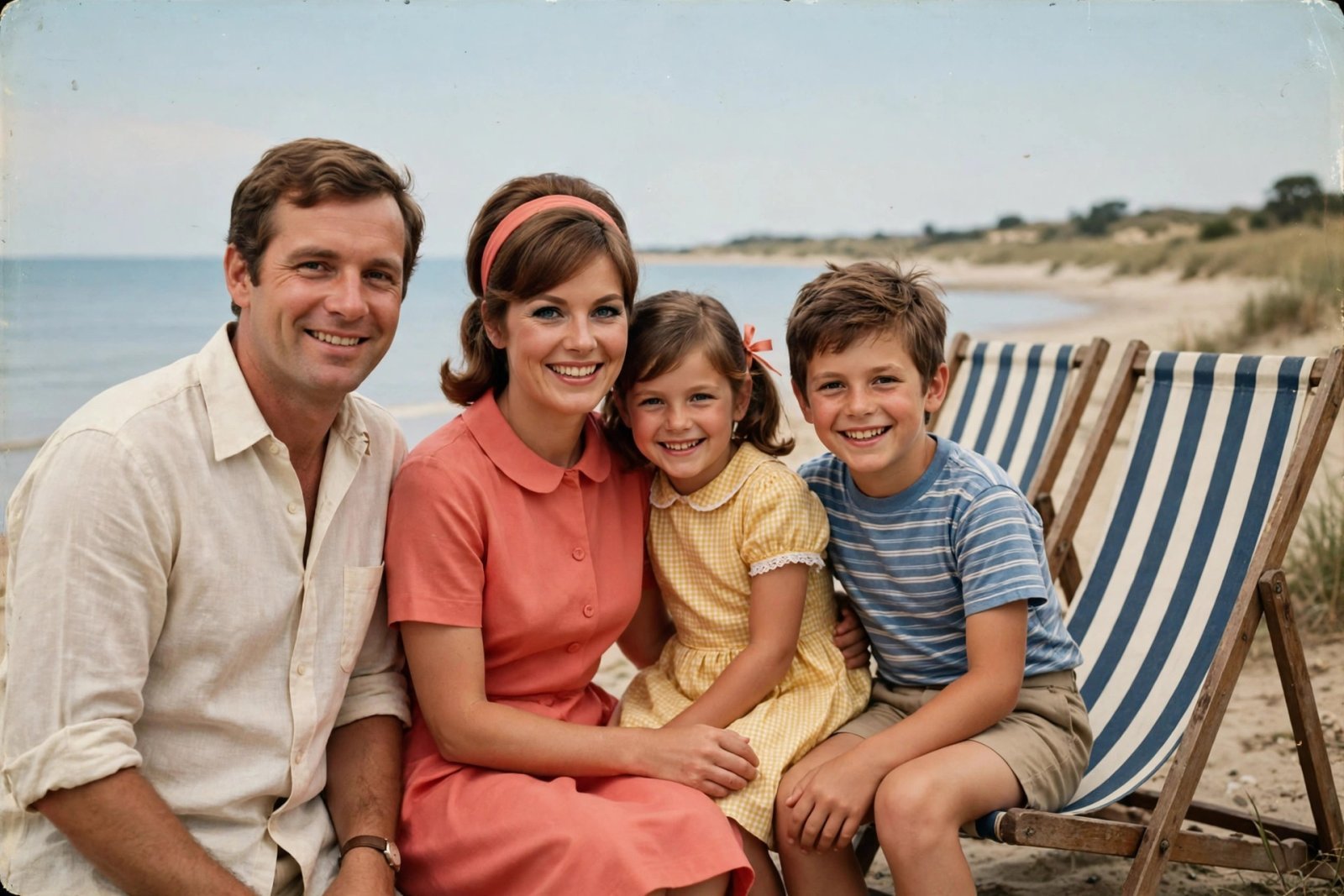
Revive a Faded 1960s Seaside Family Portrait
Restore a faded 1960s seaside family photo to warm, natural colour, repairing sun damage and softening the aged grain.
Customize this prompt
Fill in the fields below — the prompt text updates automatically. [BRACKETED] words are placeholders you replace.
The prompt
Restore and colourise a faded 1960s seaside family portrait: keep the original composition and every face exactly as photographed, gently repair [DAMAGE_TYPE] such as sun fading, scratches and creases, and rebuild the colour in warm, natural 1960s tones — [SKIN_TONES] skin, a [DRESS_COLOR] dress, striped deck chairs and a pale blue sea. Clean the aged grain without smoothing the faces into plastic, restore the sky to a soft summer blue, and keep the photo's honest vintage character with a subtle [FINISH] finish. Faithful restoration, realistic colour, no added people, no invented details, no text, no watermark.
How to use it
- Upload the clearest scan you have and note the main damage: fading, scratches or creases.
- Ask the model to keep every face and pose exactly as in the original.
- Choose the finish: a soft matte print look or a gentle glossy family-album feel.
- Check the skin tones first — they should look warm and natural, not orange.
- Generate, then compare side by side with the original and keep only the version that preserves the faces.
Customization tips
Apply the same restoration to a 1970s garden party photo, or shift the palette to cool seaside tones.
Example use case
Family history projects, anniversary gifts, genealogy albums and framed vintage prints.
Frequently asked questions
Will restoration change my family's faces?
A good restoration keeps faces and poses exactly as photographed — ask explicitly to preserve every face and reject any version that reshapes them.
Should I scan the photo first?
Yes — scan at 600 DPI or higher so the model has enough detail to repair scratches and rebuild colour cleanly.
Share
Tags: photo restoration vintage photo family portrait colourise 1960s seaside
Reviewed by the PromptVault editorial team on November 16, 2026.
Source notes: Daily pipeline 20261116 batch 2