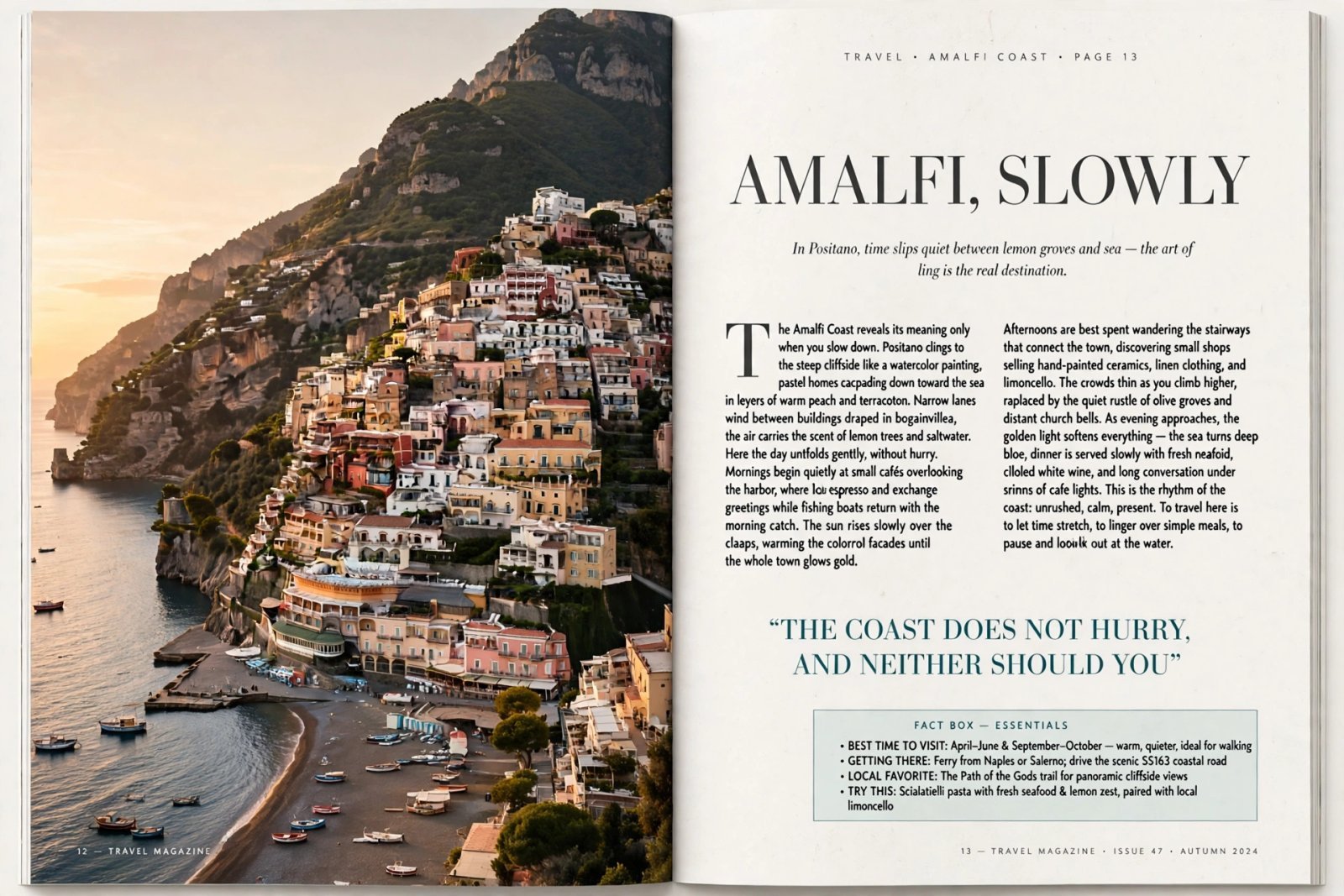
Two-Page Travel Story Layout: Full-Bleed Image and Quote Block
A sweeping travel feature spread with a full-bleed destination photo, elegant pull quote and readable two-column text.
Customize this prompt
Fill in the fields below — the prompt text updates automatically. [BRACKETED] words are placeholders you replace.
The prompt
Design a two-page travel feature spread about [DESTINATION] for [PUBLICATION_NAME]. The left page is a full-bleed photograph of [LANDMARK_OR_SCENE] at [TIME_OF_DAY], shot in [PHOTOGRAPHY_STYLE] with [LIGHTING_DESCRIPTION]. The right page carries the headline, [HEADLINE_TEXT], in [TYPEFACE_STYLE], a standfirst of [STANDFIRST_TEXT], and body copy in two clean columns with a drop cap. Place a large pull quote, [PULL_QUOTE], in [ACCENT_COLOUR] across the gutter, and a small fact box with [FACT_BOX_CONTENT] in the lower corner. Add page numbers and a running footer reading [FOOTER_TEXT]. Keep the layout calm so the photograph and the quote do the emotional work. Format: [PAGE_FORMAT].
How to use it
- Pick the destination and the one scene that sells the trip.
- Choose the full-bleed photograph and lock it to the left page.
- Write the headline, standfirst and pull quote before laying out the text.
- Set the body copy in two columns with a drop cap and a fact box.
- Check the spread reads as one story, with the photo and quote leading the eye.
Customization tips
Swap the destination, scene, headline and quote for any travel story or destination guide.
Example use case
Travel editors and designers building a feature spread for a magazine or digital publication.
Frequently asked questions
Why put the photo full-bleed on the left page?
A full-bleed image opens the spread with impact and gives the reader a sense of place before a single word is read.
How long should a pull quote be?
One short sentence, under twelve words, so it can be set large and read in a single glance.
Share
Tags: travel feature editorial spread magazine layout pull quote full-bleed photo Ideogram Midjourney
Reviewed by the PromptVault editorial team on November 27, 2026.
Source notes: Daily pipeline 20261127 batch 7