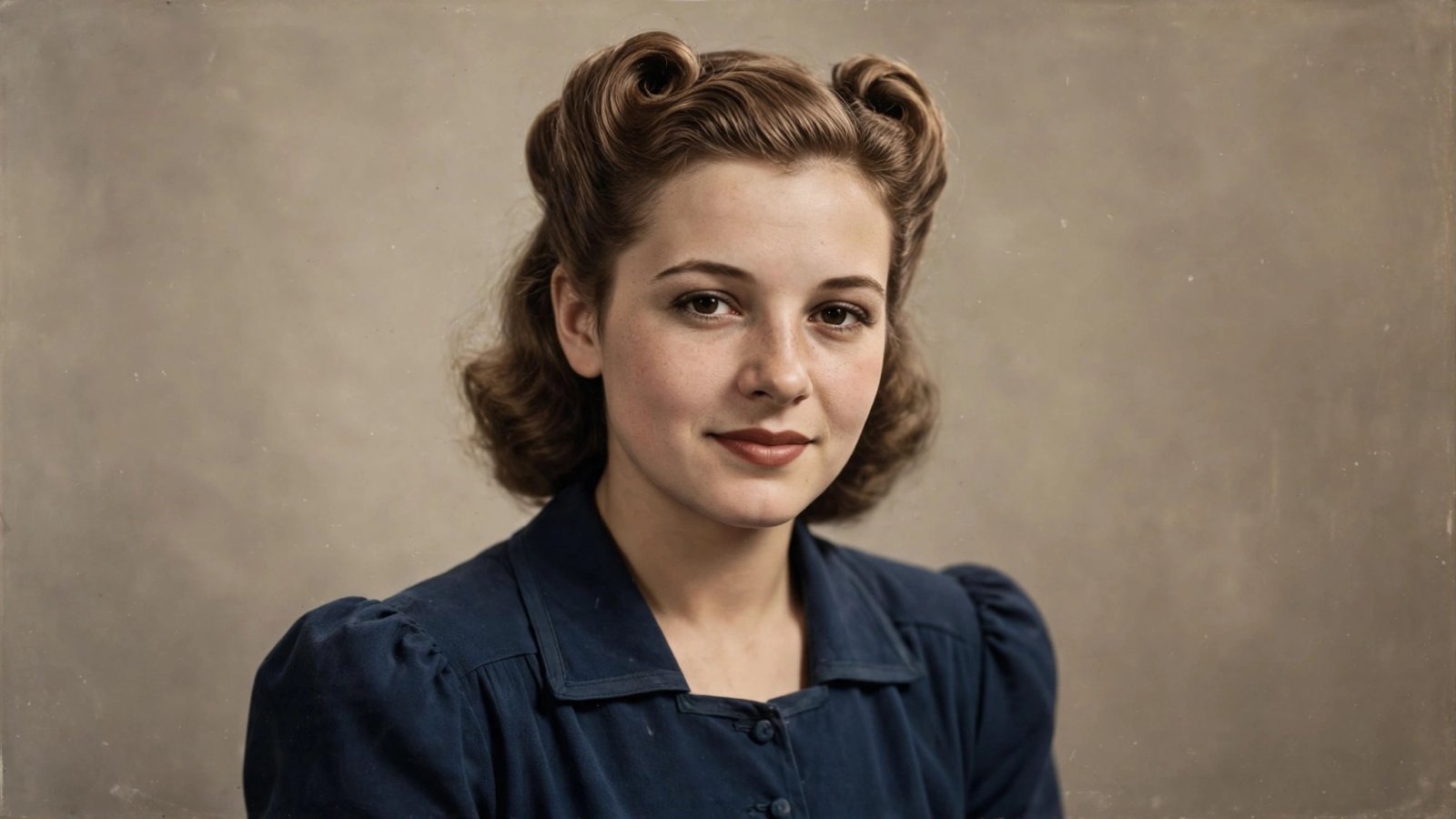
Restore a Dusty 1940s Black-and-White Portrait with Soft Colour
A photo restoration prompt that revives a dusty 1940s black-and-white portrait, cleaning damage and adding gentle, natural colour.
Customize this prompt
Fill in the fields below — the prompt text updates automatically. [BRACKETED] words are placeholders you replace.
The prompt
Restore and colourise a dusty 1940s black-and-white studio portrait of [SUBJECT_DESCRIPTION], photographed against a plain backdrop. Carefully remove dust specks, scratches and faded edges, repair any small tears along the border, and rebuild the soft studio lighting so the face is evenly lit. Add gentle, historically accurate colour: warm skin tones, a [CLOTHING_COLOUR] outfit typical of the era, and muted tones for the background. Keep the subject's exact face, hairstyle and pose unchanged — do not beautify, reshape or modernise them. Preserve the original film grain and a subtle sepia warmth, and deliver a clean, sharp [OUTPUT_SIZE] image that still feels like a real photograph from the 1940s. Output: restored portrait, natural colour, faithful to the original.
How to use it
- Upload the original scan at the highest resolution you have.
- Describe the subject and outfit so the colour stays era-correct.
- Ask for dust, scratches and tears to be removed first.
- Request natural skin tones, not saturated modern colour.
- Compare the result with the original and check the face is unchanged.
Customization tips
Change the subject description, the outfit colour and the output size.
Example use case
Bring a family portrait from the 1940s back to life for framing or sharing.
Frequently asked questions
Will the restored photo still look like my relative?
Yes — the prompt locks the face, hairstyle and pose; colour is added without reshaping any feature.
What if the original is badly torn in the middle?
Crop to the best-preserved area first, then ask the model to rebuild only the missing patch from the surrounding detail.
Share
Tags: photo restoration colourise vintage portrait 1940s old photo repair black and white
Reviewed by the PromptVault editorial team on November 12, 2026.
Source notes: Daily pipeline 20261112 batch 2