Cafe Menu Design with Hand-Drawn Charm
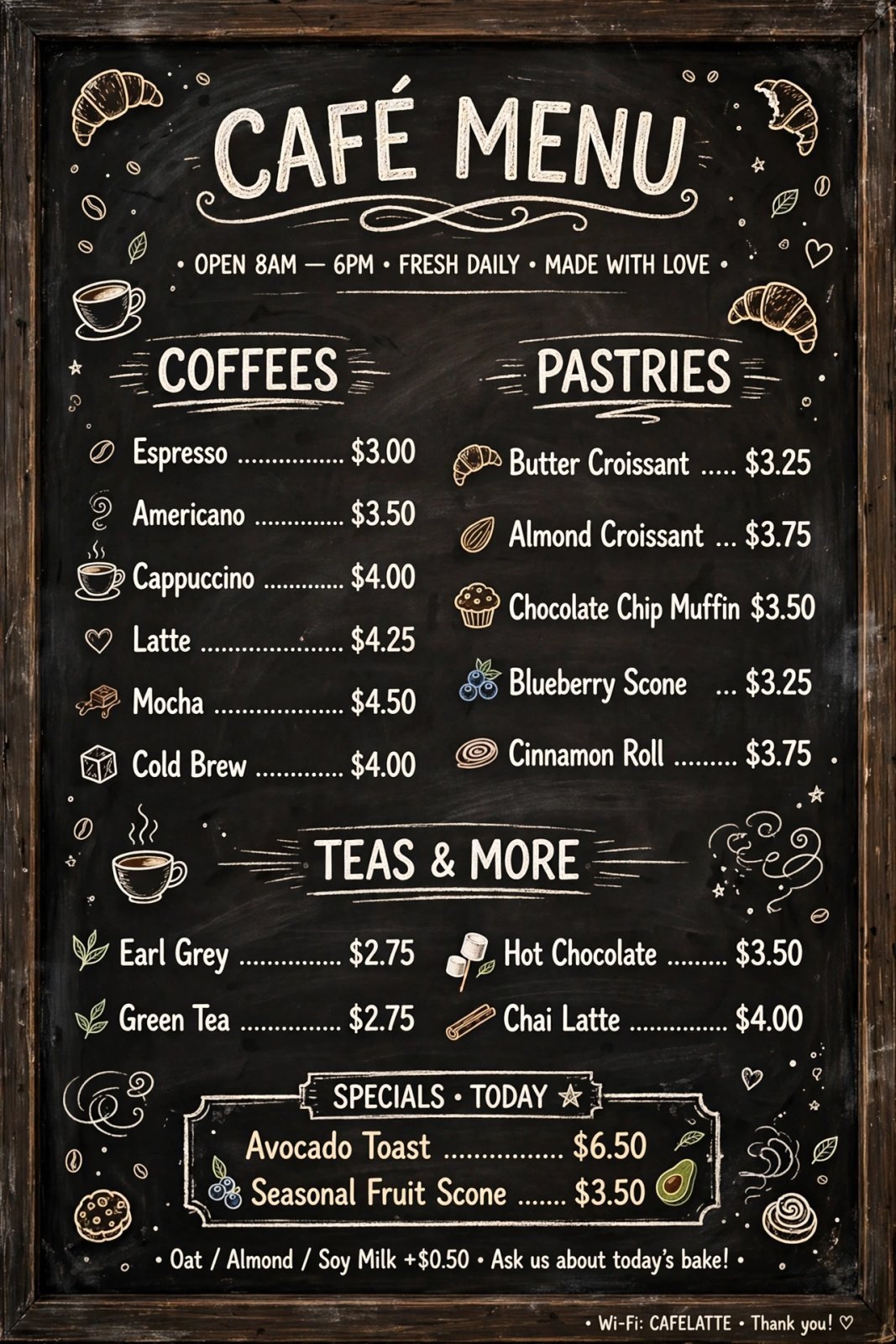
Design a warm hand-drawn cafe menu board that is easy to scan, with sections, prices, and little doodles that match the cafe.
Customize this prompt
Fill in the fields below — the prompt text updates automatically. [BRACKETED] words are placeholders you replace.
The prompt
Design a menu board for [CAFE_NAME], a [CAFE_STYLE] cafe serving [SIGNATURE_ITEMS]. Organize the menu into [SECTION_NAMES] sections with clear headings, legible prices in [PRICE_STYLE], and small hand-drawn doodles of [DOODLE_ITEMS] in the margins. Use a [COLOR_PALETTE] palette on a [BOARD_MATERIAL] background, keep the bestseller [BESTSELLER_ITEM] visually highlighted, and leave a footer space for [FOOTER_TEXT] so staff can update seasonal items by hand.
How to use it
- List the full menu and group items into clear sections first.
- Sketch the board layout with prices aligned for fast scanning.
- Add doodles only where they aid, never crowd, readability.
- Highlight the bestseller with size or color, not clutter.
- Leave a writable footer zone for seasonal changes.
Customization tips
Swap the cafe for a bakery, a food truck, or a brunch spot, or change the doodles to match the season.
Example use case
Cafe branding, restaurant menus, and local business design.
Frequently asked questions
How do I keep a hand-drawn menu readable?
Use one clear price column, generous line spacing, and doodles only in the margins.
Can this work as a printed takeaway menu too?
Yes, reuse the same layout at smaller size and keep the doodles and sections identical.
Share
Tags: graphic design cafe menu menu board hand drawn restaurant branding
Reviewed by the PromptVault editorial team on November 1, 2026.
Source notes: Daily pipeline 20261101 batch 5